
Listen along on your phone
No app — everything runs in your phone's browser. Scan the QR code, pick your language, and hear the sermon in your own language with subtitles.
OCvoice runs in your phone's browser — there is no app to install. Scan the QR code at the venue (or open your church's link), pick your language, and you're listening live.
Getting started
Scan the QR code
Point your phone's camera at the QR code — the link opens straight in the browser.
Pick your language
Tap your language in the list. If there are many, search at the top.
Put in your earphones
Use AirPods or any earphones. The audio follows the speaker with roughly one sentence of delay.
Read along as subtitles
Subtitles run on screen at the same time — you can adjust the font size.
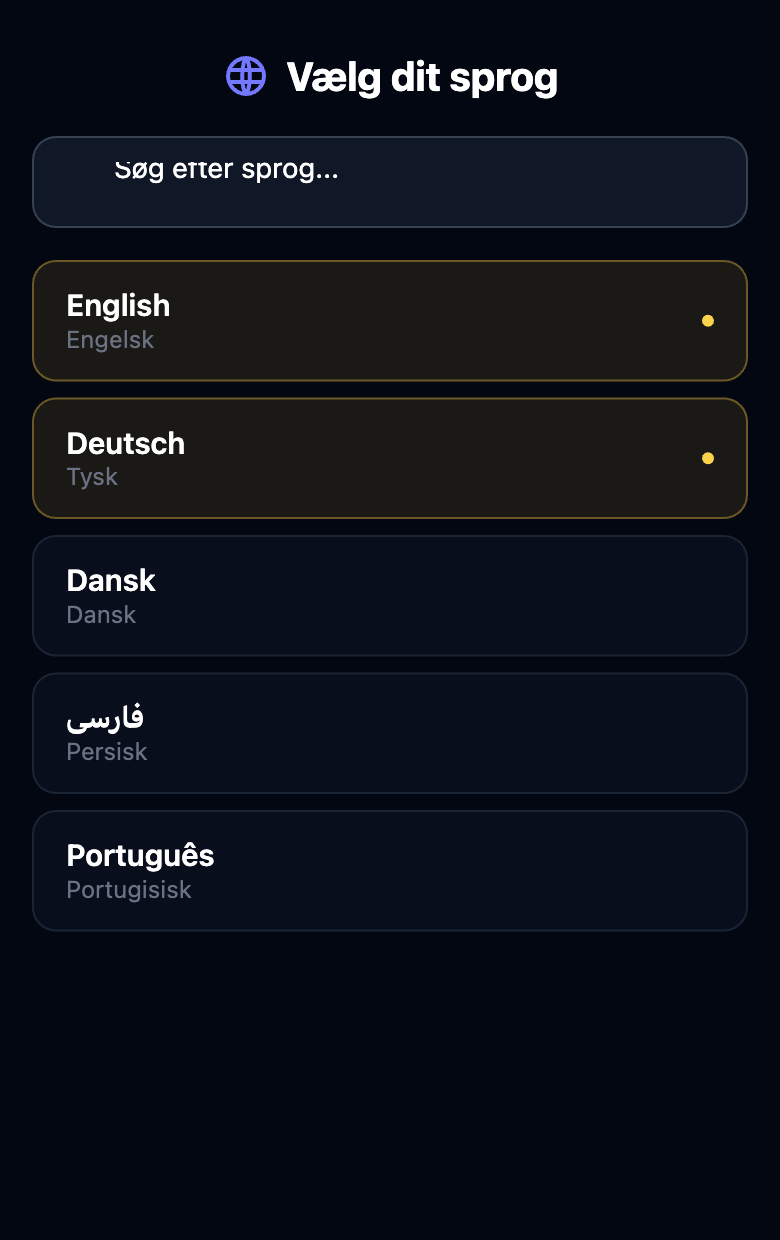
Transcript only
In a single-language service, the speaker’s own language shows the original words without audio. It is labelled “Transcript only”. Choose another language to hear the translation. Bilingual services keep translation.
No sound?
Check your phone's volume and that audio goes to your earphones (are your AirPods connected?). Use the “No sound?” button on screen — it tries to fix it automatically — or pick the language again.
Feel free to lock your screen: audio keeps playing with the screen locked where the phone supports it — perfect in the pew.
For helpers at the entrance
It's just a website — nothing to install. Help with three things: scan the code, pick the language, put in the earphones. Print the QR code large and place it at the entrance and around the hall so it can be scanned from every seat.
Couldn't get listening to work
Last updated October 29, 2026